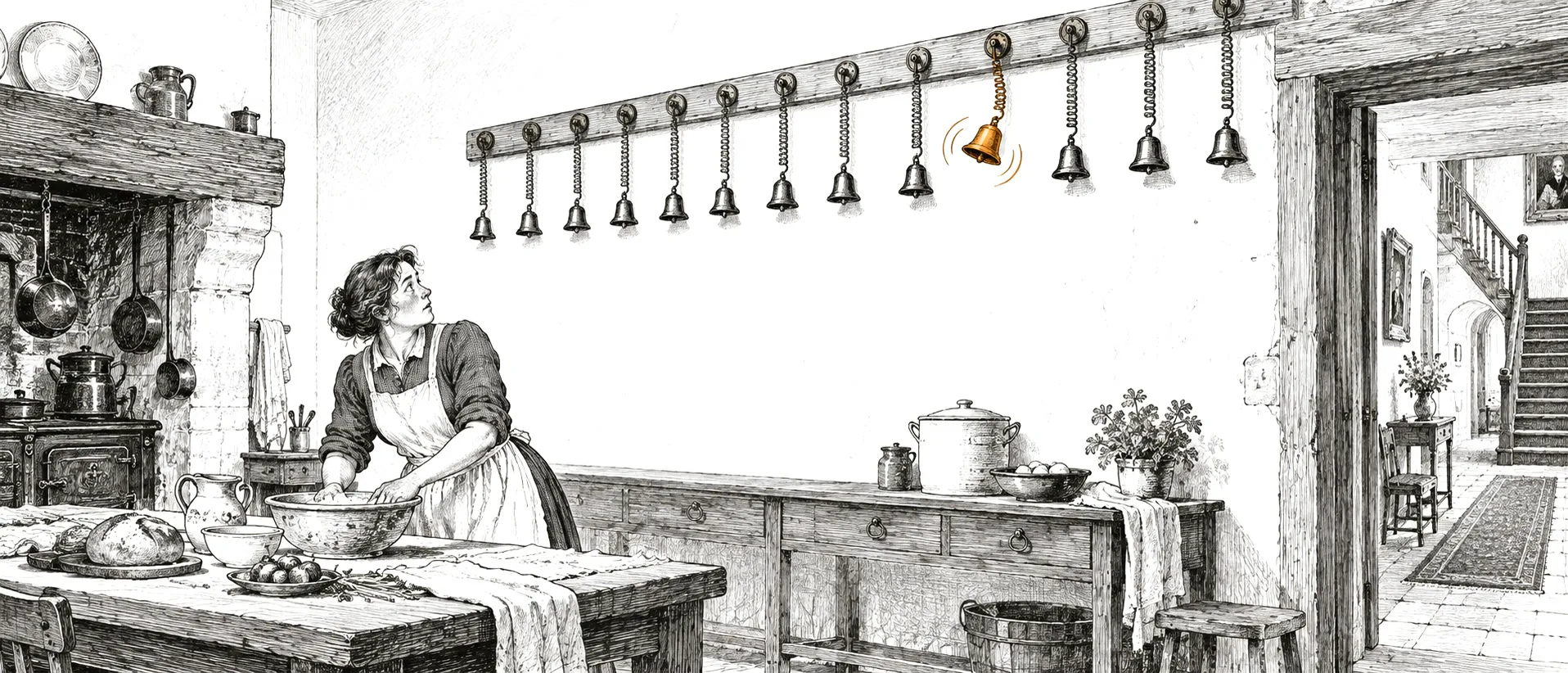
Who presses Run?
Our software factory ran 31,634 agent workflows in eleven weeks, and people asked for 1,149 of them. How the rest start, and what it takes to start each one exactly once, about the right card, with the right keys and not too early.
Between 6 August and 26 October the software factory from the first post ran 31,634 agent workflows. Somebody asked for 1,149 of them: a Run button on a card, a call from another agent over MCP, a retry. The other 30,485, 96% of the total, started because something happened. A card landed in a column, a timer went off, someone wrote in Slack. (Flow is our open-source platform where AI agents run business processes: a workflow is a chain of steps, one execution of it is a run, and a card is a task on the project board.)
Whoever starts the agents soon becomes the bottleneck. A trigger looks like the easy part. Receive an event, start a workflow. Most of the work in ours went into four questions that come after: will this start exactly once, never twice and never zero times; which card is the run about; whose keys does it use; and should it start at all yet. There’s also a trap: an agent’s own actions are events that start agents.
Six ways in
| Source | Fires when | Runs in the factory, 6 Aug to 26 Oct |
|---|---|---|
| Board column | a card enters a column bound to a workflow | 28,575 |
| Schedule | a cron fires, in a time zone | 1,836 |
| By hand | a person presses Run, an agent asks over MCP, or a run is retried | 1,149 |
| Chat | someone mentions the app in a Slack or Teams channel | 74 |
| Webhook | anything POSTs to the trigger’s URL | 0 |
| Task tracker | an issue in Jira, Linear, GitHub, GitLab, YouTrack or Azure Boards is created, moves, is assigned or gets a comment | 0 |
This factory runs on Flow’s own board. The work arrives as cards in its columns, so there’s no Jira or Linear to listen to, and CI results resolve gates on those cards instead of starting runs through a webhook. That’s why the webhook and tracker rows are zero. A team whose backlog lives in a tracker would see a different table.
The clips below come from a demo project. The Flow screens are the real app; Slack, Jira and the rest are drawn to match.
Board column
Bind a workflow to a column, and every card that enters it starts a run. The factory is a chain of these. Eight columns are bound today, from Tech Design, where an agent writes the spec, to Verify, where another checks the story in a browser, and each workflow ends by moving the card on: Implementation opens a pull request and moves the card to CI check, Code Review sends it forward or back. A finished story took about thirteen runs, most of them started by the run before.
A card goes into a bound column, and the run starts. Each step is its own agent session.
Schedule
A cron expression and a time zone, kept by a schedule in Temporal, the engine Flow runs its workflows and timers on. The factory’s planner, which releases the next stories under the 15-card cap, has started 1,711 times this way. Two more scheduled workflows post the client’s daily update and chase the questions only the client can answer.
A cron and a time zone. Nobody is at the keyboard when it fires, so the run uses its owner’s agent credentials.
By hand
A person presses Run on a card or a workflow. An agent does the same through Flow’s MCP server, with trigger_task_workflow or trigger_workflow. These starts have no standing trigger behind them.
From your own agent: Flow is an MCP server, and starting a workflow is one tool call.
Chat
Mention @aixle-flow in a Slack or Teams channel, and the trigger listening there starts its workflow. A chat trigger listens in exactly one channel. In the factory, a message in the project’s Slack channel that mentions the app and says triage starts Chat Intake, which reads the thread, checks it against the board and the shipped code, and then answers, comments on an existing card, or writes a new card and releases it: a small change into Tech Design, anything feature-sized into Needs Planning. A message shortcut and a slash command let a person pick a workflow and run it as themselves; they count as chat too. Nobody in the factory has used them, so all 74 chat runs are Chat Intake.
A mention in Slack. The status card in the thread updates as the run moves.
Webhook
A webhook trigger gives you a URL. Each call is checked with a Slack-style signature, a GitHub-style HMAC or a shared token (or nothing, for a source on a trusted network), answered with 2xx at once and deduplicated on its delivery id. The JSON body lands in every step’s workspace as /workspace/assets/webhook-payload.json. Anything that can send an HTTP request can start a workflow; in the clip it’s a Datadog monitor.
A Datadog alert calls the URL. The payload is in the agent’s workspace as JSON.
Task tracker
If the backlog lives in Jira, Linear, GitHub Projects, GitLab, YouTrack or Azure Boards, the trigger listens there: an issue is created, moves to a status, is assigned, or gets a comment that mentions the app. A mention inside a code block doesn’t count. By default, every event about one issue lands on one card in Flow. Tracker triggers shipped on 30 September.
Jira: drag the issue into the column connected to a workflow.
GitHub: a comment that mentions the app. The CI gate at the end holds the card until the checks pass; more on gates below.
Three doors, one start
Until June the board column was the only automatic trigger, a method that ran when a card moved. On 23 June the triggers moved behind two tables. trigger_events holds one row per thing that happened: the event type, the source, what it’s about, its data and a deduplication key. trigger_dispatches records which event, matched by which trigger, started which run. A run started by a trigger can always answer why it exists.
The docs call this one pipeline: event, normalize, dedup, match, start. The code has three doors into it. The six sources above use three doors, and only two of them leave a record.
Chat mentions, webhooks and tracker events don’t know which workflow they’re for, so the matcher loads the project’s triggers for that event type and checks each one’s filter. A filter is a list of conditions on the event’s data, with fifteen operators from eq to regex, all of which must hold. A Slack trigger with “text contains ship it” fires only on that. Every match starts its own run.
A card entering a column, Run on a card and a schedule tick already know their workflow. They write the event and the ledger row and go straight to the start. Run on the workflow page, the MCP trigger_workflow tool and a retry skip both tables. All three doors end in the same start function, which checks credentials and the run mode and hands the run to a relay that retries it if its start never lands. So a start through the third door is checked the same way and can’t be lost either. It skips only the record, and three things go missing:
- where the run came from: it knows who started it, but not whether from the web page, MCP or a retry;
- which run a retry repeats;
- a line in the board’s activity, for a run with no card.
In the factory that’s 64 runs. It’s on our backlog.
Exactly once, almost
The short version: the same event delivered twice starts one run; two different events about the same thing start two runs. Every layer that receives something keeps its own record of it, so a second delivery stops at the first layer that has seen it:
| Layer | Keyed on | So |
|---|---|---|
| Slack | Slack’s event id, in received_webhooks |
a retry from Slack gets its 200 and nothing else |
| Webhook | X-Idempotency-Key or X-GitHub-Delivery, else a SHA-256 of the endpoint and the body |
a byte-identical body is processed once, ever |
| Tracker | the tracker’s own id for the event | two connections to one project still fire once |
| Schedule | the Temporal workflow id of the tick: the schedule plus the tick time | one tick can’t start twice |
| Dispatch ledger | the event and the trigger | the inline path and the relay can’t both launch one event |
Slack gives an app three seconds to answer, so Flow’s endpoint checks the signature, records the delivery, queues the work and answers 200; when Slack retries, the record is already there. A webhook without either header is keyed on its body, so if your alert sends the same payload every time it fires, give it an id.
The dispatch ledger only stops the two paths that can launch the same event from both succeeding: the inline one, and the recovery relay, a sweep that launches whatever the inline path dropped (more on it in the next section). If a dispatch dies after matching and before the run exists, the next attempt resumes it, and a card the trigger has to create is created inside the same lock, so a retried dispatch never makes a second card.
Delivery is at least once, and the docs say so. In a rare crash window the relay can relaunch a run a dying process had already started. And two separate moves of one card are two events and two runs. The column trigger doesn’t check for a run already going on that card. Run on a card does, without a lock, so two requests at the same moment both pass; a click is a new event every time, and the ledger doesn’t stop a second one. In the browser the Run button disables itself while the request is out. A default five-second cooldown per card absorbs a double drop, and nothing absorbs a move, a move back and a move again a minute later.
The factory saw a second run of the same workflow start on the same card within two minutes of the first 17 times, two of them within ten seconds. Each time the card had entered the column twice. The database shows 325 more overlaps over longer gaps. 200 of them are from the factory’s first two weeks, when a card went back into its column while the old run still showed as running; the old one was cancelled or failed hours later. Since late September there have been 12.
Never losing one
The classic way to lose a start: the card move commits, then the process dies before it launches the workflow. The card sits in the column, and nothing will ever start it.
So the board uses a transactional outbox. It writes the trigger_events row in the same database transaction as the card move or the gate change, marked pending, and dispatches it right after the commit. Either both the move and the event exist, or neither does. A Temporal cron runs every minute and sweeps events still pending two minutes after they were written, 50 at a time, skipping rows another sweep holds. An event that fails a thousand times is marked failed instead of being retried forever. Since September a run has the same protection for the run itself: it’s written as pending in the same write that creates it, and a second relay starts any run whose dispatch never landed.
In eleven weeks seven column events went out between two and three minutes after the card moved, the longest at 2 minutes 44 seconds: the relay’s window. Every other one went out on the inline path. On 22 September the inline path wrote the ledger row and never got to the run; the relay found the row and finished it 2 minutes 8 seconds later. Three more in October came from card moves that failed after they had committed, and the relay started those too. Each of the seven started exactly one run, and no column event is pending or marked failed.
Schedules don’t need the outbox. Temporal owns the timer, and the tick is recorded as already dispatched.
Which card is this about
A card in a column is about that card, and so is Run pressed on it. A cron at nine in the morning, a Datadog alert and a Slack message are about nothing on the board until somebody decides. Every trigger from off the board carries a subject_policy that decides it:
| Policy | The run is about | Use it for |
|---|---|---|
none |
nothing on the board | a scheduled job that reports somewhere else |
create_task |
a new card, made first, in a column you pick, with a title template | an alert or a request that should show up on the board |
find_or_create_task |
the card linked to the tracker issue, made and linked if missing | every event about one issue landing on one card |
existing_task |
the card the event already points to, such as the one linked to a tracker issue | events about cards that already exist |
Every off-board trigger defaults to none, chat and webhooks included; a tracker trigger made in the form starts with find_or_create_task. The trap is a workflow that reads the card, its description, comments and linked pull request, started with none. It doesn’t fail. It runs with an empty context and does nothing useful, which is worse.
The factory’s planner, daily report and client digest all run with none. Chat Intake runs with none too and creates the card itself when the message deserves one, because it first has to decide whether the message is a new story, a comment on an old one, or a question.
Whose keys
A run needs agent credentials, and when a trigger fires from off the board nobody is at the keyboard. So a schedule, chat, webhook or tracker run belongs to the person who created the trigger and uses their credentials. It’s not the Slack sender, the webhook caller or whoever moved the issue. A trigger whose creator’s account was deleted has no creator and is skipped. Creators are fixed at creation; editing the trigger doesn’t change who it runs as. So anyone who can post in a chat trigger’s channel, or reach a webhook’s URL with its secret, starts that one workflow with the creator’s credentials. A filter on the sender’s id, actor.id, narrows a chat trigger to named people.
A column run belongs to the card’s assignee, or to whoever moved it if nobody is assigned. A Run from a Slack message runs as the person who asked.
The factory has a record of 24 starts that were refused, each with its reason. Four were for a person with no agent connected. Twenty asked for a fully automatic run of a workflow with a step that needs a person: seventeen Run presses and three cards moved into a column. Flow refuses rather than start a run that would sit waiting for an approval nobody is watching. None came from an off-board trigger, because one won’t even save against such a workflow.
The agent that triggers itself
An agent that answers in Slack, comments on an issue and moves it to In Review generates the same events that start agents. Without a guard, one mention can set off a loop of runs.
| Source | What never starts a run |
|---|---|
| Slack | anything but an app_mention, and any message carrying a bot id |
| Teams | bot senders, and messages not addressed to the bot; a mention, a slash command and a 1:1 chat count as addressed |
| Trackers | with each trigger’s aixle_changes on its default, ignore: an event traced back to a write Flow made in the last ten minutes, a chain of caused events past depth five, and more than ten Flow-caused events an hour on one issue |
The ten-minute trace has a race of its own. When an agent creates an issue, the tracker’s “created” webhook can arrive before Flow has the answer to its own create call, so the pipeline retries that event up to twelve times, five seconds apart, until it knows whose issue it is.
Gates
Triggers start runs. A gate holds one back. An agent that waits for CI itself re-sends its whole history every time it checks and pays for those tokens again, while GitHub’s webhook already reports the result. So a running workflow creates a gate on its card with the board_create_gate tool, usually right after opening a pull request, and while any gate on a card is pending the column won’t start the next run. When the CI result arrives the gate resolves, and the column starts the next run once the last gate has cleared. GitHub checks and Actions, GitLab pipelines, Azure DevOps builds and pull request policies, and Bitbucket pull request statuses resolve gates.
In the factory, Implementation opens the pull request, creates the gate, moves the card to CI check and ends. It never waits for GitHub. The CI Check workflow starts only when the gate resolves, reads the verdict and sends the card to Code Review or back to Implementation with the failing job named.
| Gate | Resolved | Median wait | Stale |
|---|---|---|---|
| GitHub checks | 6,182 | 12.2 min | 118 |
| GitHub Actions workflow | 826 | 20.7 min | 0 |
A gate can’t be allowed to park a card forever. Ten minutes after it’s created, a sweep that runs every five minutes starts asking the provider about that exact run. A verdict from the provider resolves the gate with that verdict, so a failed check resolves as failed, never as a pass. A run or repository that can no longer be read marks the gate stale at once. After twelve hours with no verdict the gate goes stale too. A stale gate releases the card and is never recorded as a success: the card says “CI stale” with the reason. If the real webhook and the sweep arrive together, the first one wins, and the late answer is logged as superseded.
118 of the factory’s 7,126 GitHub gates went stale, 1.7%, at a median of about twelve hours: the TTL. About three quarters were waiting on a check suite that never finished; the rest were on pull requests where no check ever started. The factory’s CI Check then sends the card back to Implementation, saying no run happened.
What we haven’t fixed
- The third door. A run started from the workflow page, over MCP or as a retry records who started it but not from where, and a retry doesn’t link to the run it repeats, so neither can be traced back. An agent that calls
trigger_workflowagain after a timeout starts a second run. - The column cooldown leaves no trace. An off-board trigger inside its cooldown records a skipped dispatch with the reason, while a card dropped twice inside five seconds doesn’t start a second run, and nothing says so, so a missing run can’t be explained from the board.
- The column trigger doesn’t check for a run already going on the card, so a card that enters a column twice gets two runs.
Flow is open source under Apache 2.0 and runs on your own servers. See how it works, or clone it from GitHub; triggers and gates have their own page in the user guide. If you’d rather have it wired into your own systems, talk to us.
More writing

A software factory, column by column
In eleven weeks 2,457 cards went onto our agent factory's board, and 1,677 of them went through every stage from spec to a browser check on staging. Column by column: what each stage leaves for the next, how the planner keeps up to fifteen stories in flight from colliding, and where stuck cards go.
Nobody is conducting your agents
Models got better fast, but some of the biggest jumps in AI coding came from the tooling built around them. The next one has to come from the tooling around the agents, and most teams don't have it yet.